
Hue Switcher for Philips Hue B3.0.39 - Google Play
You'll be able to see results in few seconds.
Publisher Description
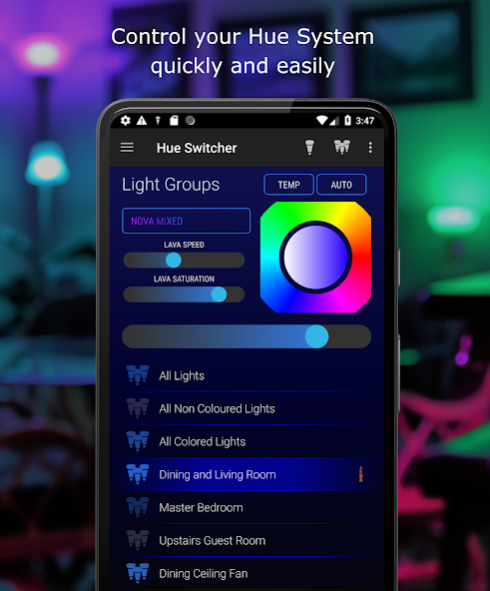
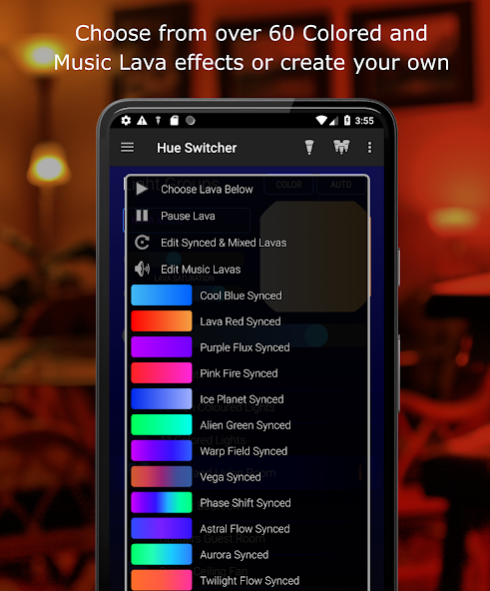
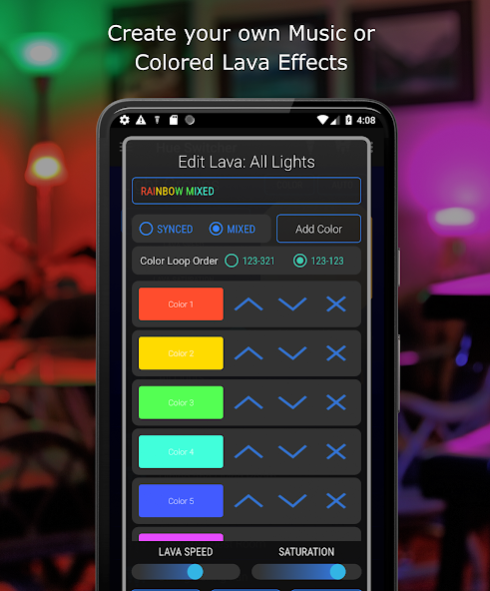
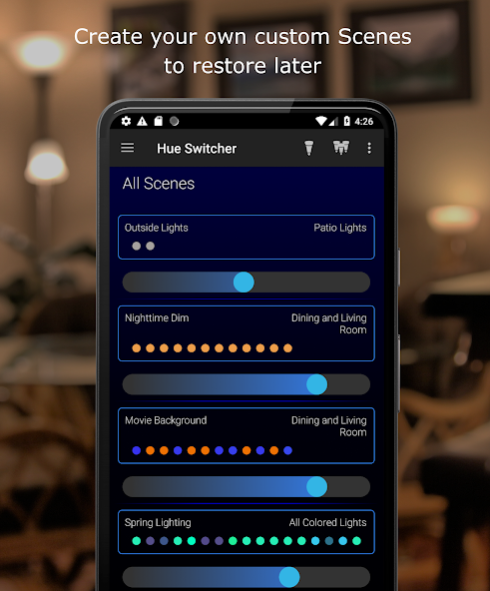
Note:
Hue Switcher is available in English, additional languages will be supported in the future. Thanks for your patience!
WARNING:
Hue Switcher contains many dynamic lighting effects! Some Lavas* contain rapid bursts of light, please use at your own risk! See Disclaimer below.
Manage Light Groups:
• Lava Lamp: Choose from 40+ custom designed Lava Scenes or Music Effects or create your own!
• Auto Color Generator allows you to create and place a pattern of colors onto any size Light Group.
• Create, Delete, Retrieve and Rename Light Groups on your Philips Hue Bridge.
• Lights can be assigned to more than one Light Group.
Accessory Programming:
• Create trigger events using many different options for Hue accessories such as the Hue Tap, Dimmer Switch, and Motion Sensor.
Scenes:
• Create Scenes with unique settings for every Light in the specified Light Group.
• Save Scenes to sliding bars that can be assigned to different Rooms in your home.
• Scenes are automatically saved to your Philips Hue Bridge using the current Light settings - Hue Bridge snapshots exactly what your lights look like upon creation to retrieve later
• Set Transition Times (0.2 seconds - 60 minutes) to gradually fade lights on or off.
Rooms:
• Create Rooms to house different collections of scene sliders.
• Dimmer switches each control a unique Scene saved to your Philips Hue Bridge.
• NOTE: Hue Switcher Rooms are not related at all to the Philips Hue API Rooms. Rooms are stored locally in the app to lessen Light Group / Room confusion generated by the official application.
Scene Light Schedules:
• Create Light Schedules to trigger Scenes at certain times of the day, recurring on all or certain days of the week.
• Automate your Entry Way lights, Back Yard lights, Front Porch, Balcony, Aquarium, etc...
• Create a "Light Alarm Clock" by triggering a scene with a 5 minute Transition Time in the morning.
Multi-Bridge Support
Instructions:
http://www.hueswitcher.com/instructions
System Requirements:
**** Developed for Second Gen. Hue Bridge, Version 1.14+****
This app has been optimized based on the Philips Hue API. We highly recommend that you keep your bridge up to date to enable the latest features and maintain compatibility.
Terms and Conditions:
IoT Switch LLC takes no responsibility for any harm, bodily or otherwise, you may cause to yourself or others when using this application. This application integrates many different technologies and therefore has many different potential points of failure. Because of this, we do not guarantee that this app will work 100% of the time. All purchases of in-app products are final and no refunds or exchanges are required from us except for as required by state or federal law. This app gathers some anonymous usage statistics in order to better craft the User Experience. This app is not an official Philips Lighting Application. Using this app means you are also subject the the terms of use outlined in Philips Hue's API and EDK documentation which can be found here: https://developers.meethue.com/documentation/terms-use
And here: https://developers.meethue.com/content/edk-terms-use
You agree to these terms and conditions as well any terms and conditions outlined by Philips Hue when using this application.
*Using the fastest setting for certain Lavas can create rapid bursts of light. Strobe and Star Burst Lavas contain light bursts by default.
About Hue Switcher for Philips Hue B
The company that develops Hue Switcher for Philips Hue B is IoT Switch LLC. The latest version released by its developer is 3.0.39.
To install Hue Switcher for Philips Hue B on your Android device, just click the green Continue To App button above to start the installation process. The app is listed on our website since 2021-10-24 and was downloaded 0 times. We have already checked if the download link is safe, however for your own protection we recommend that you scan the downloaded app with your antivirus. Your antivirus may detect the Hue Switcher for Philips Hue B as malware as malware if the download link to com.philips.hueswitcher.quickstart is broken.
How to install Hue Switcher for Philips Hue B on your Android device:
- Click on the Continue To App button on our website. This will redirect you to Google Play.
- Once the Hue Switcher for Philips Hue B is shown in the Google Play listing of your Android device, you can start its download and installation. Tap on the Install button located below the search bar and to the right of the app icon.
- A pop-up window with the permissions required by Hue Switcher for Philips Hue B will be shown. Click on Accept to continue the process.
- Hue Switcher for Philips Hue B will be downloaded onto your device, displaying a progress. Once the download completes, the installation will start and you'll get a notification after the installation is finished.
Program Details
System requirements
Download information
Pricing
Version History
version 3.0.39
posted on 2021-10-24
This App requires a Hue Bridge :)
Fixed an issue with users not being able to find their Hue Bridges on their network
"Hey Google Open Hue Switcher" for fast access
Removed full screen pop-up ads
Added 70+ new Auto Color Generator default colors for user convenience, may cause a few duplicate palettes on some devices - these can be deleted
Auto Color Generator algorithm updated to spread colors across lights better
version 3.0.38
posted on 2021-05-19
Fixed an issue with users not being able to find their Hue Bridges on their network
"Hey Google Open Hue Switcher" for fast access
Removed full screen pop-up ads
Added 70+ new Auto Color Generator default colors for user convenience, may cause a few duplicate palettes on some devices - these can be deleted
Auto Color Generator algorithm updated to spread colors across lights better
version 3.0.35
posted on 2020-10-10
Hue Switcher is currently only available in the United States. If you purchased an upgrade from outside the USA and would like a refund please contact us at iotswitcher@gmail.com with your Order ID. Sorry for the inconvenience!
Removed full screen pop-up ads
Added 70+ new Auto Color Generator default colors for user convenience, may cause a few duplicate palettes on some devices - these can be deleted
Auto Color Generator algorithm updated to spread colors across lights better
version
posted on 2020-09-24
Non-English languages were mistakenly shown as supported in Google Play when they were not. Using a device language other than English can crash this app. Additional language support will be added in the future, sorry for the mistake!
Removed all pop-up ads
Fixed a bug where users would select a single light to control but the app remained on light group control
Added 70+ new Auto Color Generator default colors for user convenience, may cause a few duplicate palettes on some devices
version
posted on 2020-09-03
Removed pop-up ads for the foreseeable future
Fixed a bug where users would select a single light to control but the app remained on light group control
Added 70+ new Auto Color Generator default colors for user convenience, may cause a few duplicate palettes on some devices - these can be deleted
Fixed bug on Single Lights view that would very infrequently send light commands without user input
Auto Color Generator algorithm updated to spread colors across lights better
version
posted on 2020-08-17
Fixed a bug where users would select a single light to control but the app remained on light group control
Added 70+ new Auto Color Generator default colors for user convenience, may cause a few duplicate palettes on some devices - these can be deleted
Fixed bug where Premium Upgrade reminder would not stop showing
Fixed bug on Single Lights view that would very infrequently send light commands without user input
Auto Color Generator algorithm updated to spread colors across lights better
version
posted on 2020-08-01
Added 70+ new Auto Color Generator default colors for user convenience, may cause a few duplicate palettes on some devices - these can be deleted
Fixed bug where Premium Upgrade reminder would not stop showing
Fixed bug on Single Lights view that would very infrequently send light commands without user input
Auto Color Generator algorithm updated to spread colors across lights better
version
posted on 2020-07-18
Fixed bug where Premium Upgrade reminder would not stop showing
Fixed bug on Single Lights view that would very infrequently send light commands without user input
Added 7 new default Color Palettes to Auto Color Generator List
Auto Color Generator algorithm updated to spread colors across lights better
Auto Color Generator Creation updated to use the same interface as the Lava Editor
Fixed many UI layout issues for both Smart Phones and Tablets
version
posted on 2020-07-10
Fixed bug on Single Lights view that would very infrequently send light commands without user input
Added 7 new default Color Palettes to Auto Color Generator List
Auto Color Generator algorithm updated to spread colors across lights better
Auto Color Generator Creation updated to use the same interface as the Lava Editor
Added a Fade Timer option to the drop down list when holding down on a Light or Light Group
Fixed many UI layout issues for both Smart Phones and Tablets
version
posted on 2020-06-29
Added 7 new default Color Palettes to Auto Color Generator List
Auto Color Generator algorithm updated to spread colors across lights better
Auto Color Generator Creation updated to use the same interface as the Lava Editor
Added a Fade Timer option to the drop down list when holding down on a Light or Light Group
Lava editing is now a paid option due to lower than expected sales of the Remove Ads upgrade
Fixed many UI layout issues for both Smart Phones and Tablets
Disclaimer
Official Google Play Link
We do not host Hue Switcher for Philips Hue B on our servers. We did not scan it for viruses, adware, spyware or other type of malware. This app is hosted by Google and passed their terms and conditions to be listed there. We recommend caution when installing it.
The Google Play link for Hue Switcher for Philips Hue B is provided to you by apps112.com without any warranties, representations or guarantees of any kind, so access it at your own risk.
If you have questions regarding this particular app contact the publisher directly. For questions about the functionalities of apps112.com contact us.
